
After an first BiNavi tested earlier this year and already convincing for its GPS accuracy, responsiveness and the blend of touchscreen and physical buttons, iGPSPORT is pushing its ambition much further this time with the BiNavi Ultra.
The computer targets long distances, complex routes and multi-day rides, with a spec sheet that does more than just add a few features.
Strengths:
- Highly legible screen and more comfortable mapping
- Solid battery life under heavy use
- Faster interface and improved build and finish
Could be better
- Rerouting still too focused on U-turns
- Occasionally clumsy on-screen and spoken translations
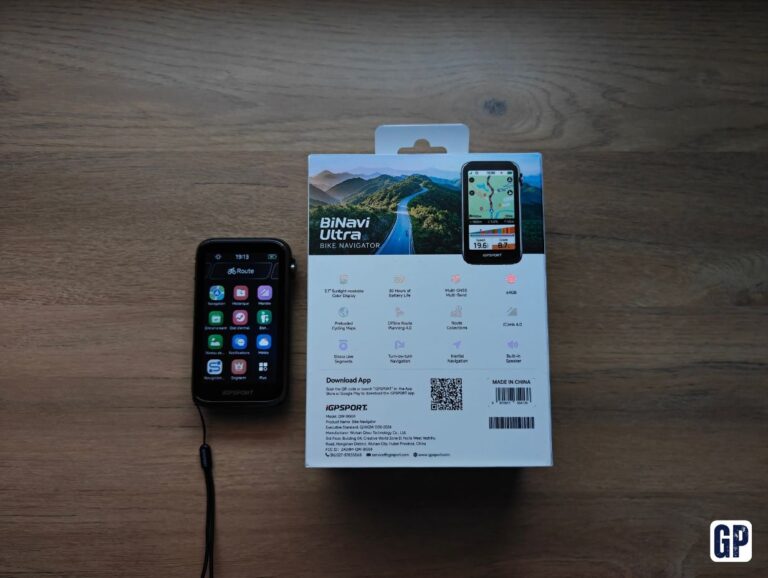
With its 3.7 inch screen, 64 GB of storage, IPX7 rating and over 30 hours of claimed battery life, the BiNavi Ultra already makes a strong case.
But iGPSPORT goes further with offline worldwide maps, inertial navigation, route group management, iClimb 4.0, a speaker and a new multi-function dial.
On paper, the Ultra is out to become a true tool for navigation and exploration.
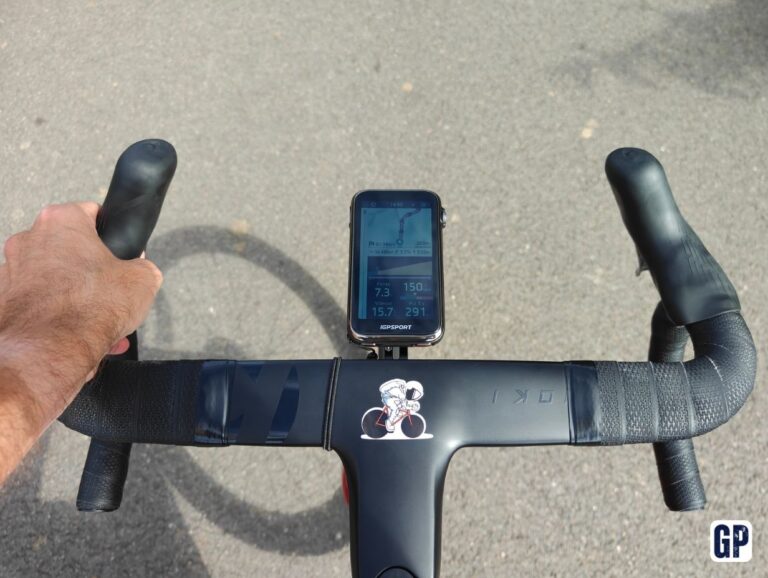
After around fifteen days and roughly 600 kilometres, with intensive testing on the roads and tracks of the Morvan, it is especially interesting to see what really changes compared with the first BiNavi.
An Ultra that makes a strong first impression
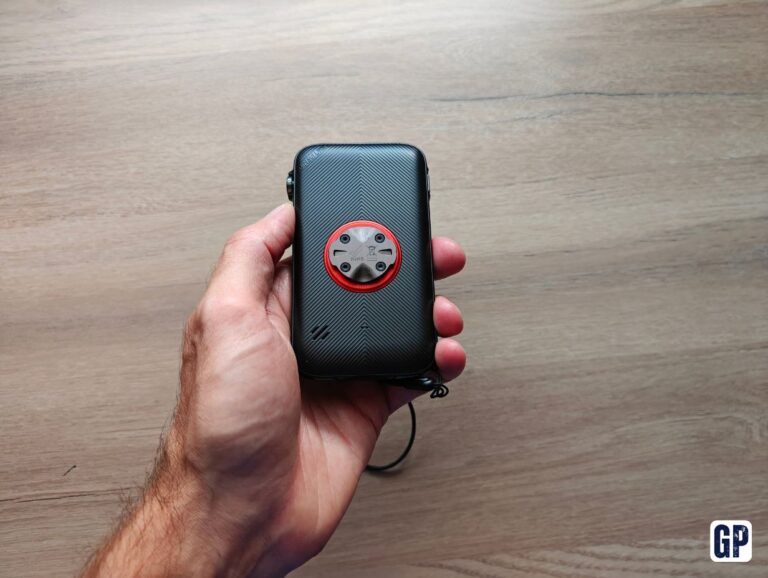
The first impression is very positive. Fresh out of the box, the BiNavi Ultra feels more like a high-end product than its predecessor.
The finishing is particularly tidy and the whole package immediately inspires confidence.
The box is also generously equipped with two handlebar mounts, a safety lanyard, a USB-C cable, a rubber protective cover and the various manuals. Unlike the first BiNavi, however, no screen protector is supplied.
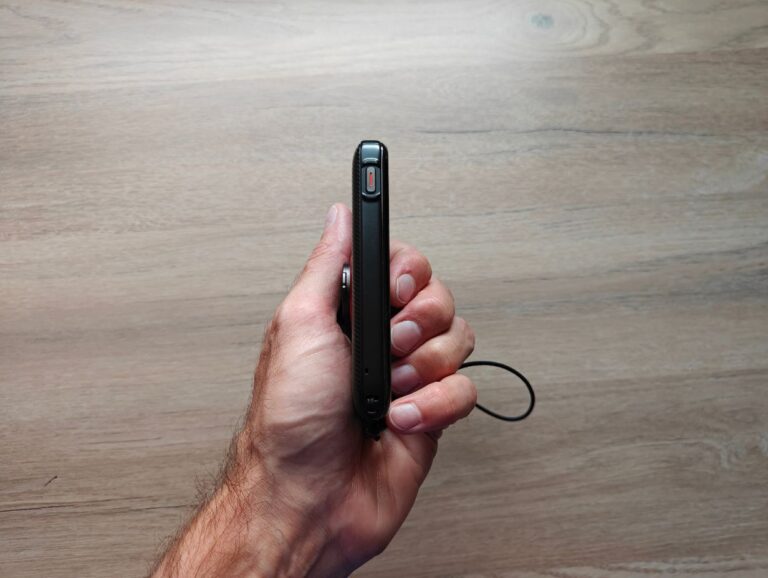
At 122 g claimed by iGPSPORT and 122.6 g measured on my scales, its weight remains reasonable given its size. It is noticeably larger than the first model, but I quickly got used to it.
It is ultimately in the format of the current crop of large computers, similar to what Garmin offers with its Edge 1050 – a type of product you will also find in our guide to the best GPS computers for gravel and bikepacking.
Startup is also very quick, with about 10 seconds between power-on and landing on the interface, a result comparable to the first BiNavi.
Bigger, but above all more legible
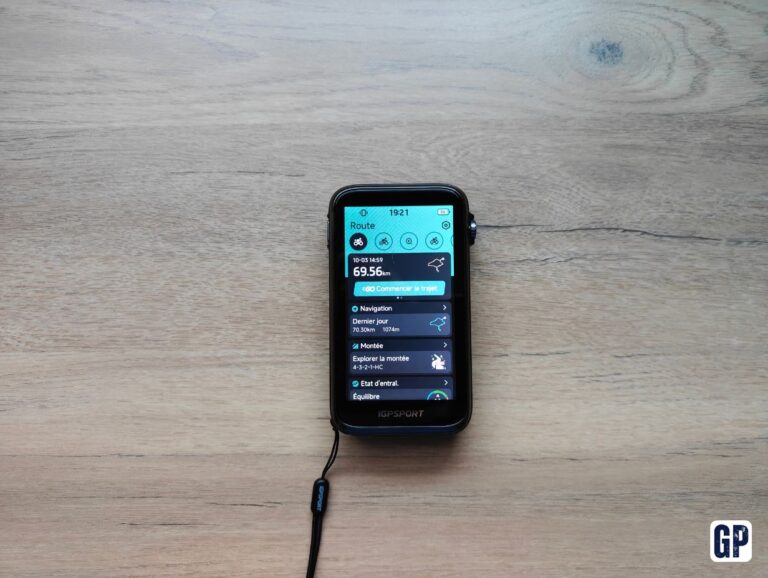
Going from 3.5 to 3.7 inches is not a revolution in terms of how much information can be displayed. What really helps in use is the step up in display quality.
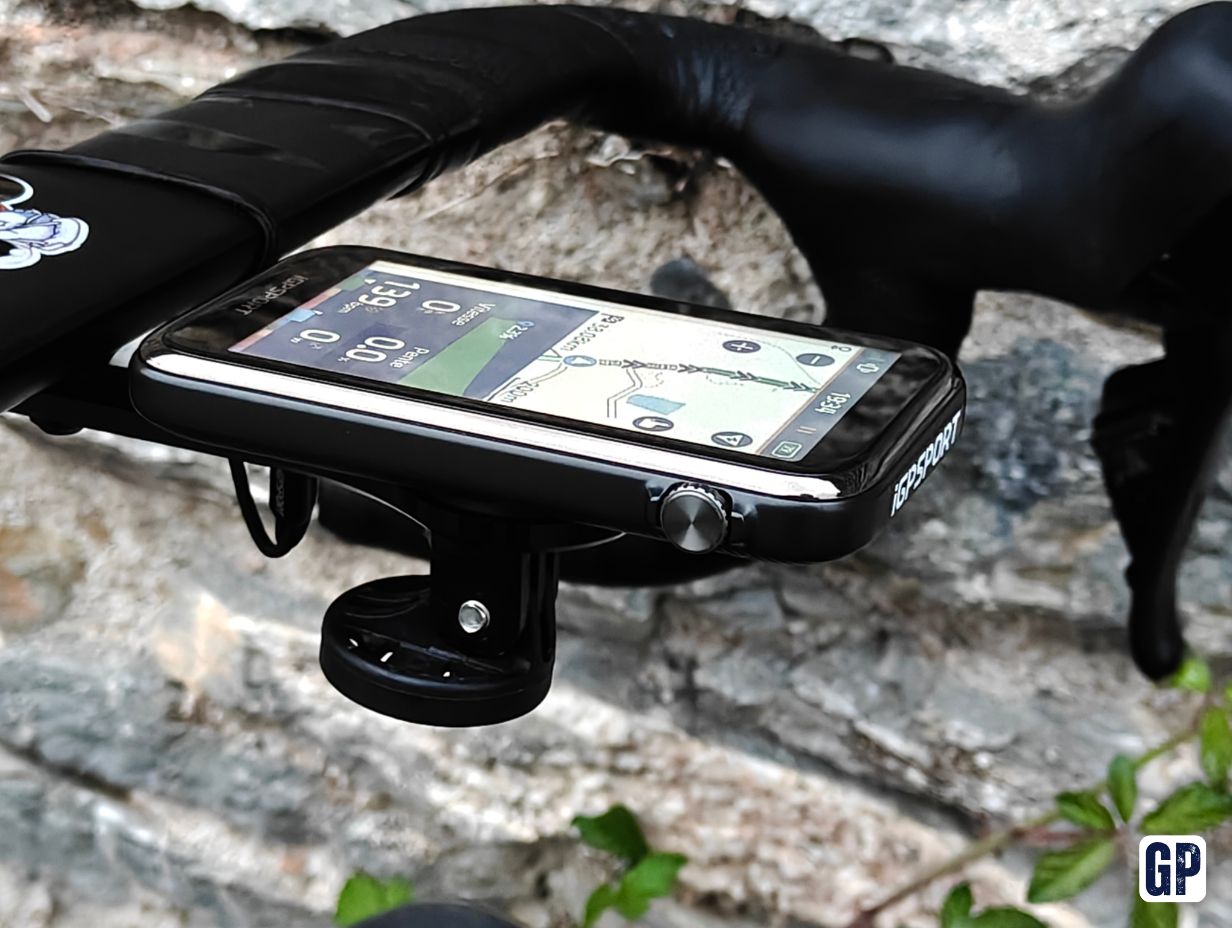
The mapping is still based on OpenStreetMap, with the maps installed on the device, but it looked much crisper to me. Detail is finer, information stands out more clearly and reading roads is more comfortable, especially when the map gets busy.
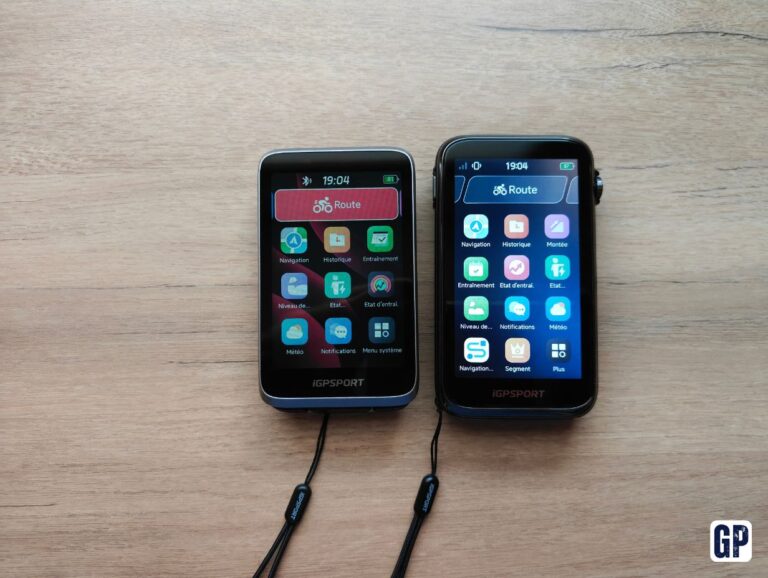
In the Morvan, both on the road and on gravel, this extra definition particularly appealed to me. The computer lets you more easily read what is happening around your route, without having to linger on the screen.
Auto-brightness also works very well and efficiently adapts the display to the conditions.
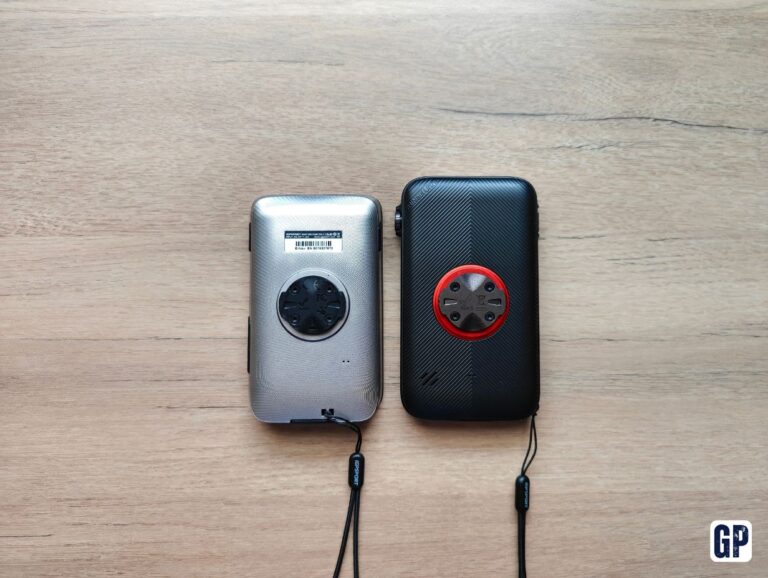
Ultimately, the main benefit of this larger screen is therefore less about showing a lot more data, and more about making the mapping more pleasant to consult.
A dial that takes some getting used to
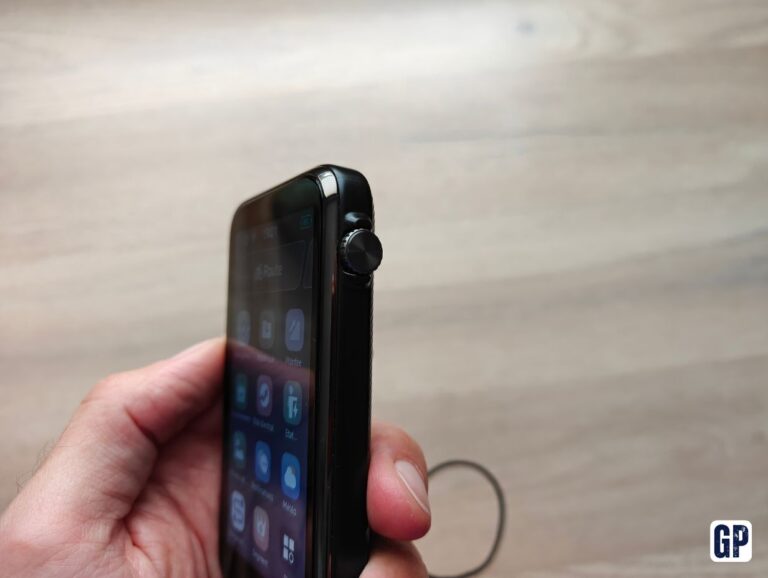
This is probably the ergonomic element that surprised me the most at first. The BiNavi Ultra drops some of the first model’s buttons in favour of a multi-function dial, which we had already discovered a few months earlier on the iGPSPORT VeRun sports watch.
The principle is much the same: this dial lets you navigate menus and scroll through the different pages, with a click to confirm.
At the beginning, I was naturally more comfortable with the up/down controls of the first BiNavi. After a few rides, however, I found myself using this dial a lot and relying less on the touchscreen.
With the touchscreen locked, the dial really comes into its own as soon as conditions turn wet. I had no operating issues with water: the display remains perfectly legible, the physical controls stay usable and the computer continues to work normally despite the showers encountered during the test.
The four physical buttons are now better spaced, which should be particularly welcome in winter with thick gloves. I obviously could not verify this point in my test conditions, carried out in still very mild weather, but their positioning looks promising for winter use.
The touchscreen itself remains very responsive. More broadly, the interface feels snappier than on the first model.
In my view, the three most visible changes compared with the first BiNavi are precisely these: snappiness, build quality and ergonomics.
Navigation up a notch
The Ultra’s ambition is most evident in its navigation. iGPSPORT adds several functions to its ecosystem aimed at long routes and more complex situations: turn-by-turn navigation, voice guidance, rerouting, offline worldwide mapping, inertial navigation and route group management.
On my routes prepared with Komoot, the turn-by-turn guidance seemed more precise than on the first BiNavi, especially at direction changes. With its full GNSS and dual-frequency GPS L1 + L5, track following also felt more consistent.
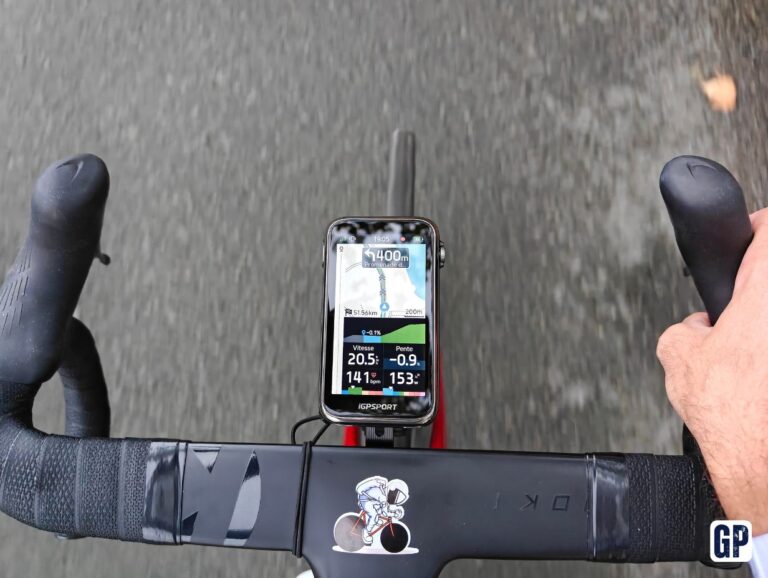
This improvement also seems linked to the device’s overall speed, which gives a feeling of more responsive tracking.
The speaker also brings real value for voice instructions. In calm conditions they are useful and allow you to look at the screen less. With wind, however, it can sometimes be hard to hear them clearly.
There are still a few translation issues. As with many products translated from Chinese, some phrasings are rather peculiar, both on screen and in spoken prompts.
For example, you get formulations like « obliquez à gauche » where « bifurquez à gauche » would be much more natural. It does not prevent you from understanding the instruction, but it sometimes gives an impression of an imperfect translation.
You can still pan around the map directly with a finger, which remains handy for a quick look at the surroundings.
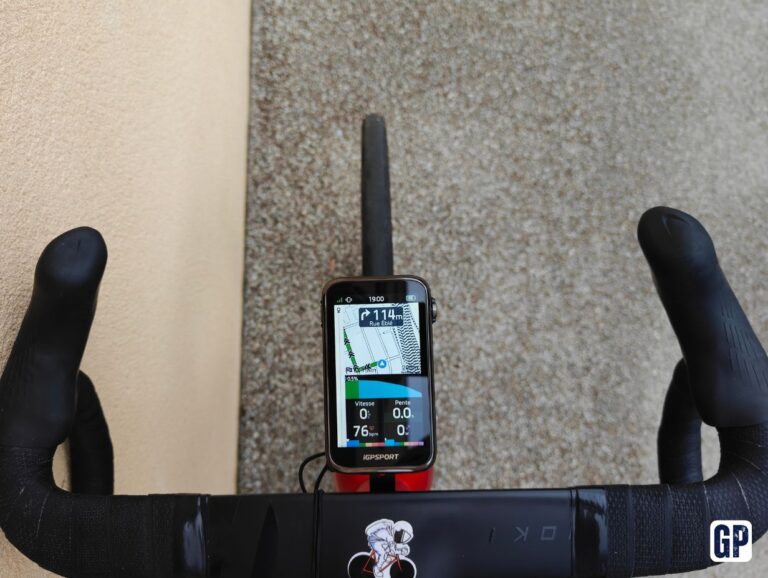
As on the BiNavi, navigation includes an elevation profile under the map, with a colour code that lets you visualise elevation along the route. Even without iClimb, you therefore keep a good read of the terrain.
On the other hand, the dedicated elevation page remains far less convincing: the curve is not very legible and hardly lets you see how the elevation is distributed across the full route. That was already the case on the first BiNavi and I would have liked to see this display evolve on the Ultra, but unfortunately it remains identical.
The main shortcoming of the first BiNavi also remains when you leave the route. The computer starts by asking you to make a U-turn and can insist for several hundred metres before actually proposing an alternative. This was already one of the weaknesses of the first model and I would have liked to see this behaviour fixed.
Another detail when the radar iGPSPORT SR Mini is connected: the alert for detecting a car or an overtake is extremely loud. The volume is such that it almost sounds like a siren, to the point of quickly attracting attention around you, especially in town.
At this stage, the computer also still runs into a bug in tracking the detected vehicle and fails to keep it properly displayed, which has the effect of triggering the alarm continuously. iGPSPORT is reportedly working on this in order to correct the behaviour in a forthcoming update.
A true dashboard on the bike
On the connectivity side, the BiNavi Ultra is in line with the first model. My various sensors connected without difficulty and remained perfectly stable: Assioma Duo, heart rate, Di2 and SR Mini radar.
The data displayed is also consistent with that from my Garmin Forerunner 970 watch. On compared rides, for example, average power and normalised power values were very close.
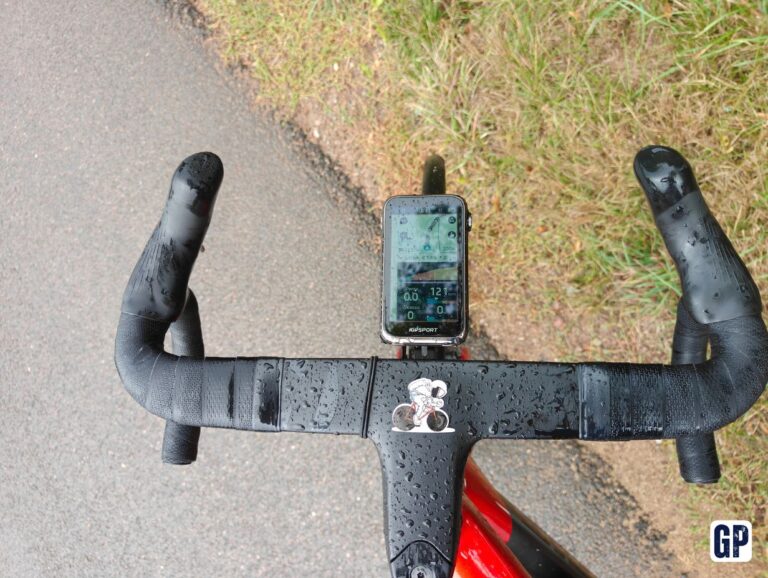
Integration with Di2 is particularly well done. No specific setup was required: the controls are recognised automatically. I notably configured the left lever double-click to change page, the long press to stop or resume recording, and the single click to skip to the next track.
I did experience the odd small Bluetooth dropout with the phone, only on the music side. At those moments, the Di2 controls to pause, resume or change track no longer work.
However, I had no issues with the sensors. During my fifteen days of testing, I did not encounter any crashes or unexpected reboots.
Customisation remains very comprehensive
As on the first BiNavi, the data screens are highly customisable. You can make changes directly on the device or from the iGPSPORT app.
From any page, a long press lets you edit each field and choose the number of data items displayed. It is also possible to create new pages with a different layout and different data fields.
The customisation options are numerous, to the point that it would be hard to detail them all within this review.
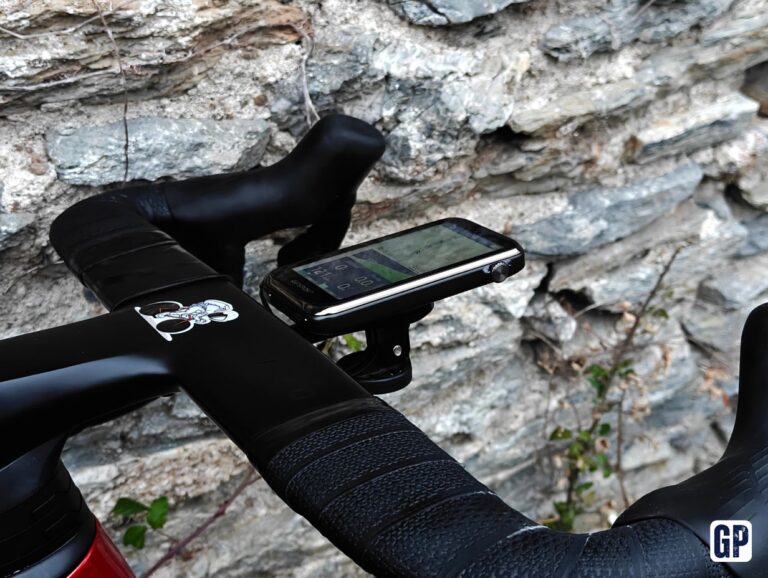
I again created a specific page for gravel with a different selection of information from my other profiles.
On the home screen, two presentations are still offered: a drop-down menu or a widget-style display. I still prefer this second format, which lets you shape the home screen to your liking, based on the information you want in view.
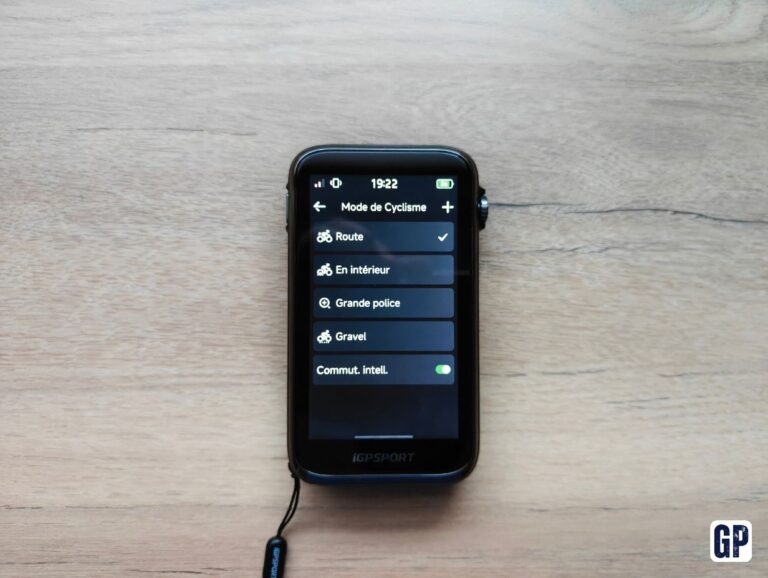
The preinstalled cycling mode pages are however still constrained in some respects: it is still not possible to rename or delete them.
The app follows on from that of the first BiNavi, with some changes to layout and typography.
The addition of Wi-Fi mainly allows, for now, faster updates compared with Bluetooth.
However, despite this connection, it is still not possible to transfer a route directly to the device from another service – you still have to go via the iGPSPORT app. It is a small constraint that has not changed since the first BiNavi.
iClimb 4.0: the new feature I genuinely adopted
This is probably the function that impressed me the most during this test.
iClimb 4.0 is now a fully fledged app, accessible from the home screen.
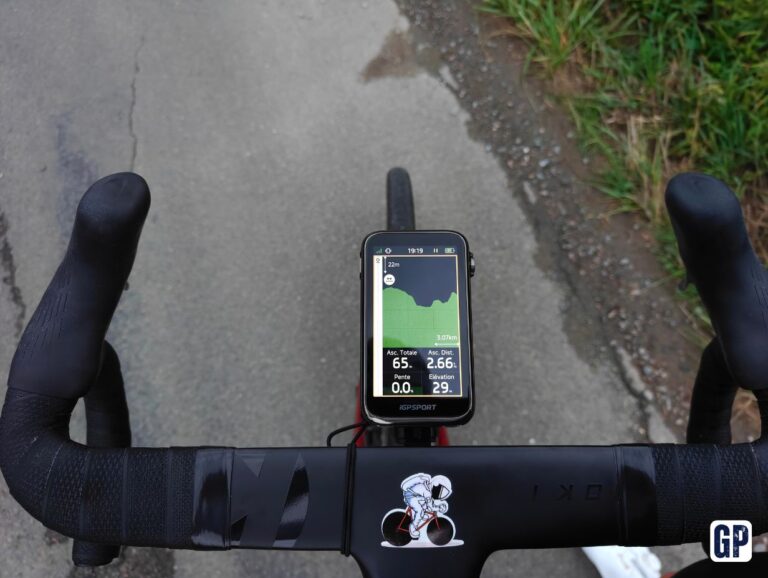
Without a route loaded, it detects climbs around you, displays their main characteristics and lets you filter them by category.
You can then select a climb to be guided to it, with five difficulty levels offered, up to HC.
The other benefit appears when a route is loaded. In the iGPSPORT mobile app, the GPX is analysed and the main climbs are identified before starting navigation. But once the route is launched, the device can also detect and add others that did not appear in the initial parsing of the route.
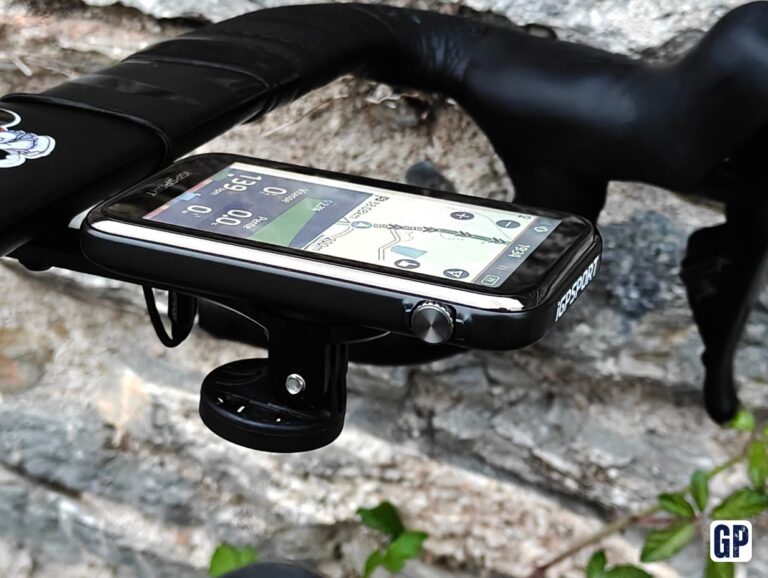
This is precisely where I see a real step forward compared with the first BiNavi. I found its detection too skewed towards big hills, leaving out a good portion of the shorter climbs.
With the Ultra, I felt I was seeing more of them, including shorter ramps. In a region like the Morvan, where the difficulties can stack up without necessarily being very long, that is a real plus for reading the terrain and managing your effort.
It gets closer to what I appreciate, for example, from Wahoo, with detection that no longer limits itself only to the big difficulties.
Finally, the iClimb page is the same as on the first BiNavi, with a clear presentation and the option to display up to four customisable data fields. You can therefore choose the most relevant information to pace your effort up the climb.
Still a real analytics lab
The iGPSPORT ecosystem also retains its whole analytics side with load tracking, aerobic and anaerobic effects, FTP, VO2max and recovery estimates, as well as the various post-ride analysis data.
Integration with TrainingPeaks is also still present. I have not, however, specifically tested structured workouts on this Ultra version.
The computer is therefore just as interesting after the ride as while you are riding, with a large amount of actionable data to track your progress.
A bell I actually used
The BiNavi Ultra also integrates an electronic bell. A double tap on the screen triggers three dings.
I used it about ten times, mainly in pedestrian areas and small towns. The volume is high enough to be heard by pedestrians and triggering it quickly becomes natural.
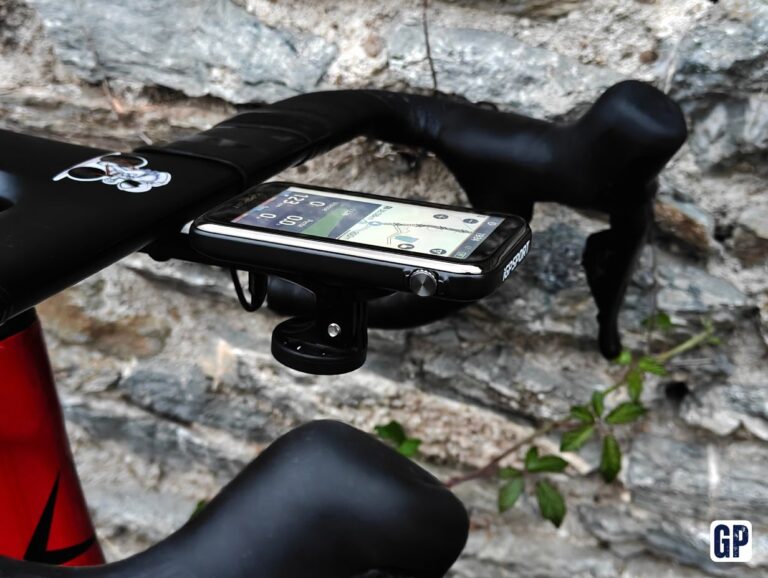
This is typically the kind of function that you might consider a gimmick, but which I really used during the test. It also means you do not have to add a physical bell to the bike.
Battery life you can forget about
iGPSPORT claims over 30 hours of battery life, with a 2420 mAh battery and a charging time of around 1 h 30.
I obviously wanted to see what that meant in real use. Between 26 September and 3 October, I clocked up around 20 hours of operation.
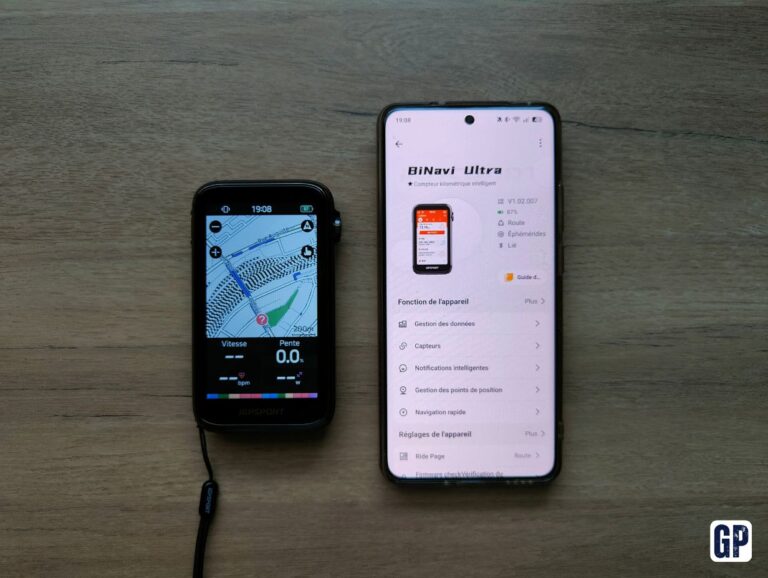
Over that period, the battery went from about 90% to 20%. Yet I was not using any saving mode: maximum GPS accuracy, screen on, auto-brightness, active navigation, music control via the smartphone, Di2 connection, Favero Assioma Duo power meter, heart rate and SR Mini rear radar all running simultaneously.
I eventually recharged the device as a precaution, but since I received it, this was only its first recharge. For this kind of use, that is particularly reassuring.
We will obviously need to see how this battery life holds up over time and over a longer test period, but to date I have not encountered any particular issues on this point.
Once the device was charged, I practically stopped thinking about the battery during my rides.
Promising features I did not want to overrate
The BiNavi Ultra offers several functions that I have not tested enough to draw firm conclusions.
Route group management is one of them. The idea is interesting for long rides split into several routes, but I did not plan a route long and complex enough to really judge its value.
The same goes for inertial navigation. It should enable the device to continue estimating its position when the GPS signal is momentarily disrupted thanks to data from the inertial sensors. I did not specifically put it to the test.
In my test conditions, particularly in the dense forest areas of the Morvan, classic GPS guidance proved effective enough that I did not need this function.
Offline worldwide planning, playing music stored directly on the device or other functions such as Strava segments are also available, but I did not use them enough to assess them seriously.
On a product that claims so many long-distance features, fifteen days of testing is not enough to validate everything. I therefore prefer to distinguish what I really used from what the spec sheet promises.
What I take away after 600 km
After fifteen days and around 600 kilometres, with a fairly intensive test in the Morvan, the BiNavi Ultra mostly feels like a more accomplished BiNavi.
The first model had already convinced me with its responsiveness, the precision of its dual-frequency GNSS and its interface mixing touchscreen and physical controls.
The Ultra retains these qualities while improving several important points.
With the Ultra, the interface becomes snappier, the build clearly steps up a level and the new dial brings a different ergonomics that takes a little time to master before becoming very pleasant to use.
The 3.7 inch screen above all brings a real gain in readability, with better defined, more comfortable mapping to consult, rather than a simple enlargement of the display area.
Battery life, for its part, proved particularly reassuring during my test, even if it will obviously need confirming over a longer period.
But it is not all perfect yet, with rerouting that keeps its U-turn reflex, occasionally iffy translations and a radar alert that is much too loud.
In my opinion, this Ultra makes most sense for those looking for a computer geared towards navigation, long rides and exploration, with more comfort on screen, more battery life and more information about the terrain.
It is a solid evolution of the first BiNavi, and above all a computer that I found genuinely pleasant to use day to day.