
Join Strava with 20% off the annual subscription thanks to our private code! This code gives you an immediate discount when you use the dedicated link, or by entering the code in the promo field at checkout.
Why subscribe to Strava?
- access to advanced features: workouts, analysis, segments, performance comparisons
- detailed tracking of your gravel rides, runs or triathlon sessions
- challenges and personalised goals, better planning of your sessions
- particularly comprehensive mapping: global and ultra-localised heatmap, personal heatmap, access to different map layers, manual route plotting on desktop and mobile, as well as automatic route generation on mobile
How to redeem the offer?
- click this Strava link to unlock your private code,
- then use the code when subscribing to the Strava annual plan.
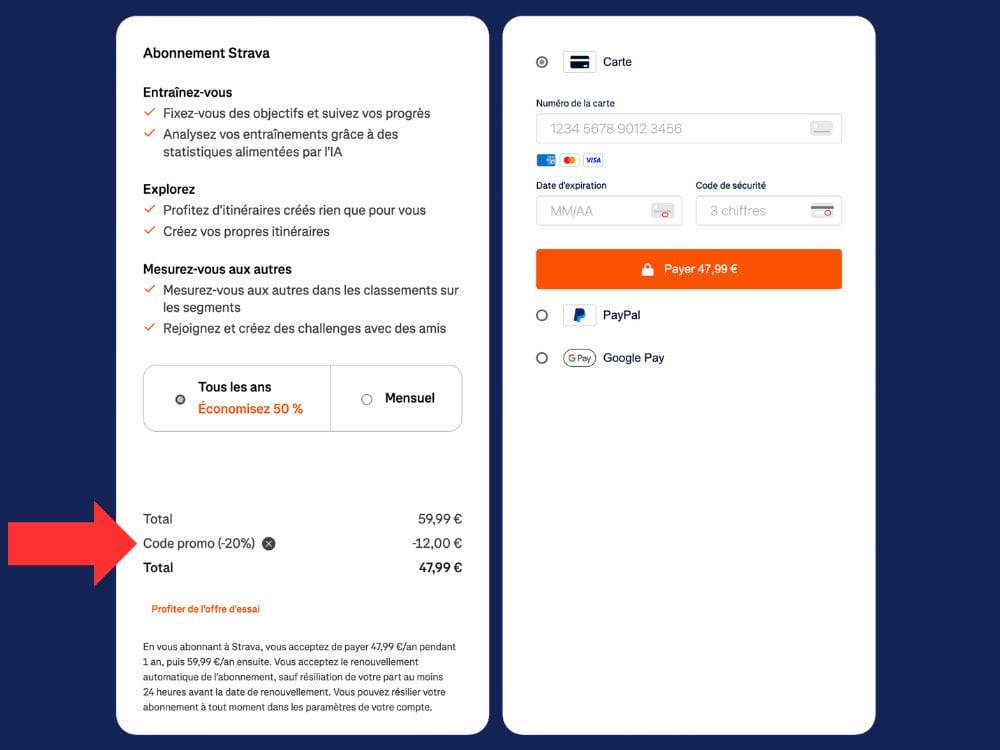
⚠️ Important note: promo codes must be applied via the website (not through the App Store or Google Play), and only when using a free account.
Whether you want to improve your performance, track your rides, discover new routes or take on new gravel challenges, this offer lets you enjoy the Strava subscription at a reduced price.
Strava: much more than an app to record your rides
Strava has become one of the must-have apps for cyclists. Road, gravel, MTB, turbo trainer… It obviously lets you record and share your activities, but its appeal now goes well beyond that.
The free version already lets you review your rides, follow friends, join clubs and take part in challenges. The Strava subscription goes further with tools dedicated to training analysis, progression and planning your next rides.
But not all features are equal and, above all, not everyone necessarily needs to pay for Strava.
Is the Strava subscription really worth it?
That is probably the first question to ask before reaching for your bank card.
For a cyclist who uses Strava only as a training log and social network, the free version is more than enough.
The subscription becomes much more interesting as soon as you want to make more use of your ride data or use Strava as a real everyday tool.
Among the features we find most relevant:
- more detailed analysis of your training;
- tracking your progression over several weeks or months;
- heart rate and power zones;
- route creation and discovery;
- Live Segments;
- personalised goals;
- certain safety features such as Beacon.
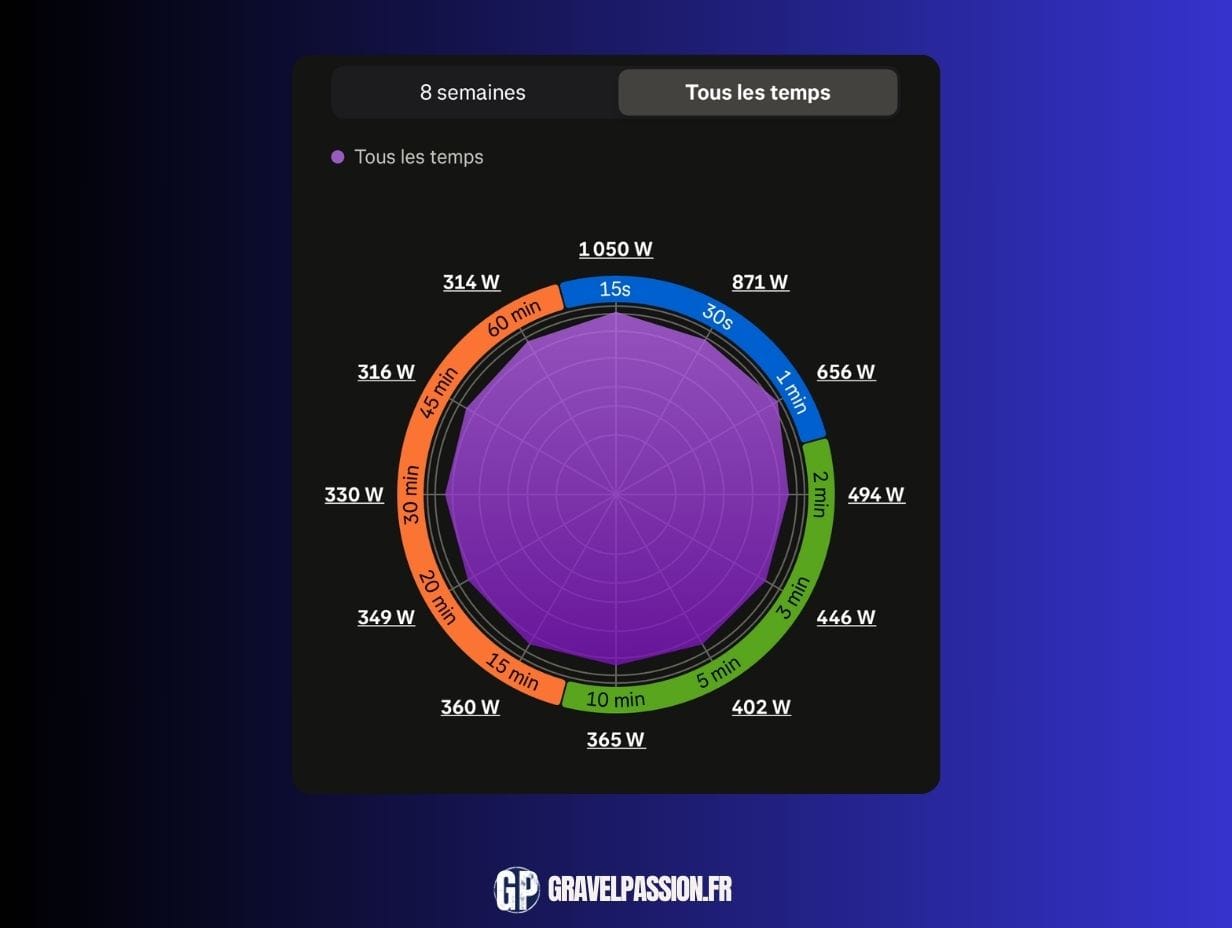
Strava does not necessarily replace a highly specialised training platform. However, its big advantage is that it brings many tools together in a simple interface, directly connected to the community that many cyclists already use day to day.
→ Read our full take on the Strava subscription
Plan your routes with Strava
It is a feature sometimes overshadowed by segments and stats, yet it is one of the strongest arguments for subscribing.
Strava relies on activities recorded by its community to identify the roads and paths athletes actually use.
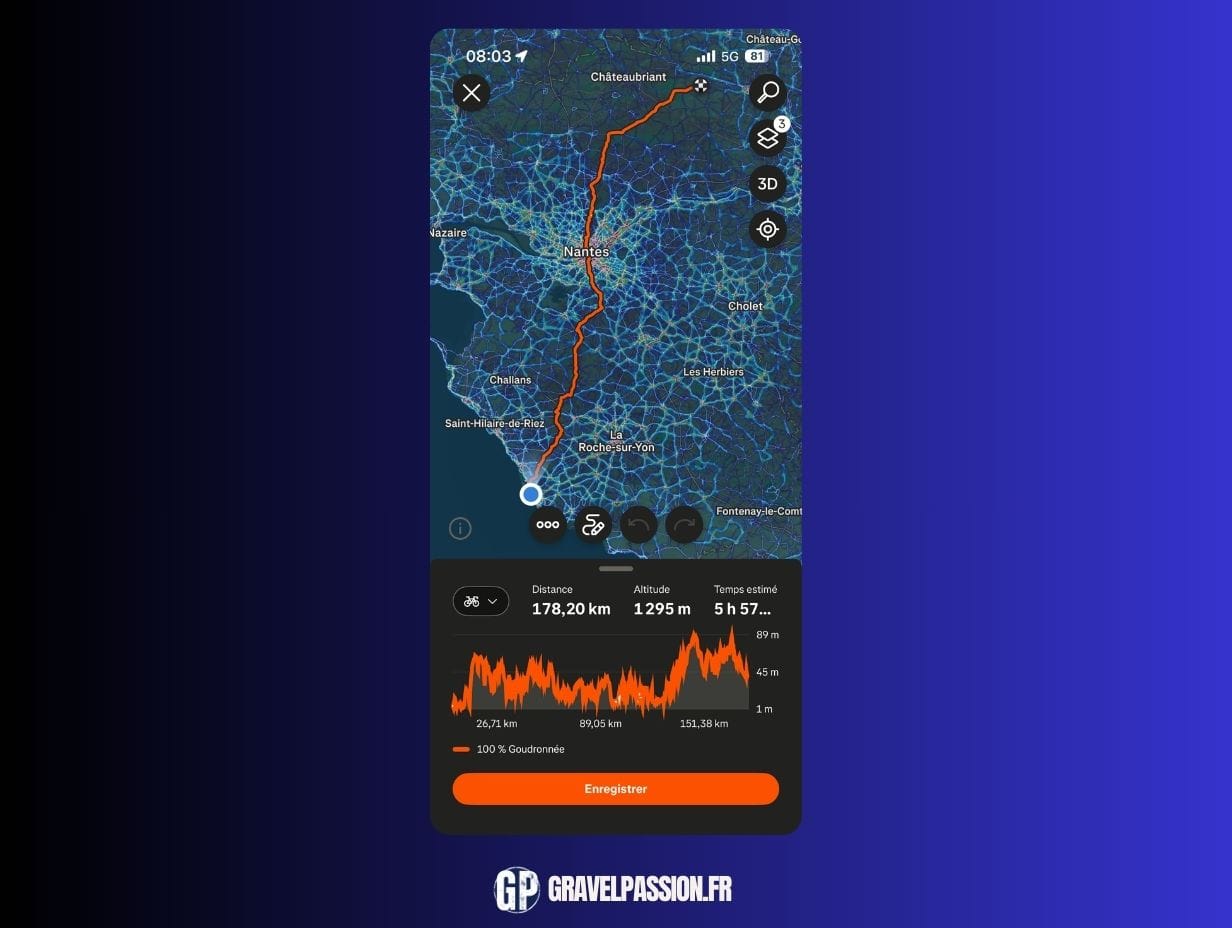
Its mapping is one of the major strengths of the subscription, particularly for gravel. It gives access to a very detailed global heatmap, as well as your personal heatmap, to visualise the roads and paths you use most often.
You can also use different map layers, manually plot your routes on desktop and mobile, or let Strava generate routes automatically in the app.
For road cycling as well as gravel, this is particularly useful when you are riding in an area you do not know well: the tracks left by other users provide valuable clues about places that are actually rideable and popular.
That does not, of course, exempt you from checking your route before you set off, especially in gravel where the rideability of a path can change quickly.
But to prepare a ride quickly, discover new paths or explore an area you do not know well, Strava’s mapping has become a particularly effective tool.
Use Strava to better understand your training
Racking up the kilometres is one thing. Understanding what you are doing on the bike is another.
As soon as your head unit or watch records your heart rate and, ideally, your power, Strava can become much more than a simple ride log.
Heart rate zones
Heart rate helps estimate the intensity at which your body is working.
An easy endurance ride, a climb ridden at threshold or a set of short intervals obviously do not produce the same physiological load.
Setting your zones correctly therefore helps you understand how much time was actually spent at each intensity level, rather than relying only on a ride’s average speed.
And in cycling, the latter can be particularly misleading: wind, elevation gain, surface, drafting or type of bike can make it vary considerably.
Power zones
If you ride with a power meter, the analysis becomes even more interesting.
Unlike heart rate, power directly measures the mechanical effort produced on the bike. It reacts immediately when you press on the pedals and is not influenced in the same way by heat, fatigue or stress.
Power zones therefore make it easier to distinguish a recovery ride, endurance work, tempo, threshold or much shorter, more intense efforts.
But your zones must be set correctly. An overestimated or out-of-date FTP can make a good part of the analysis much less relevant.
→ Our complete guide to using your power and heart rate zones in Strava
Track your progress rather than looking at a single ride
This is probably one of the most interesting shifts when you start taking your data seriously.
A single, isolated ride does not tell you very much.
You might set a record because you had a tailwind, show a mediocre average speed on a very hilly ride or have poor sensations despite entirely normal values.
The trend over several weeks is far more interesting.
The Strava subscription helps you take a step back from your training: training volume, consistency, intensity, changes in fitness or even best efforts.
The goal is not to turn every cyclist into a data analyst. On the contrary: this information becomes useful when it helps answer a few simple questions.
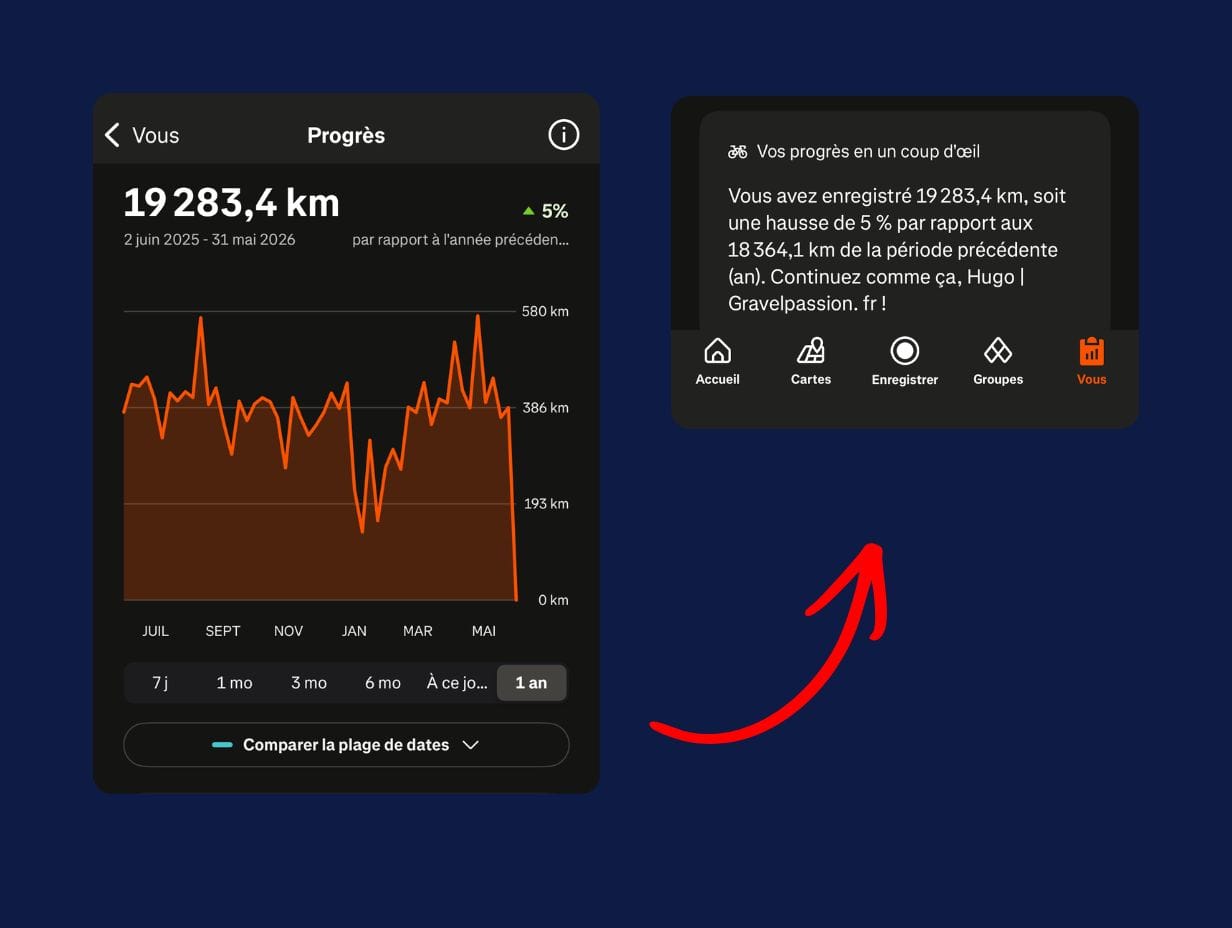
Am I riding regularly enough? Am I accumulating too much intensity? Are my best efforts improving? Is my volume increasing too abruptly?
That is when Strava really starts to become a training tool, and not just the place where you drop your activity after a ride.
Strava segments: useful or just fun?
A bit of both!
Segments have been part of Strava’s DNA since the beginning. They let you compare your time on a specific section with your own previous performances or those of other users.
For training, they can serve as a repeatable benchmark: the same climb or the same fast section can become a small test you repeat throughout the season.
With Live Segments, the subscription also lets you follow certain performances in real time on a compatible device. You can see during your effort whether you are ahead of or behind a given reference.
Is it essential to progress? Absolutely not.
Can it turn a little climb you know by heart into an impromptu time trial? Definitely. 😅
Strava free or subscription: which should you choose?
It ultimately depends on how you use it.
The free version of Strava is probably enough if you mainly want to:
- record your rides
- keep a history of your activities
- follow your friends
- publish your rides
- take part in the platform’s social aspect.
The subscription becomes more relevant if you want to:
- analyse your training in more depth
- track your progress over time
- make use of your power and heart rate data
- create new routes regularly
- use segments more often
- set goals and track progress.
Our advice is therefore fairly simple: do not subscribe just because you use Strava.
Subscribe if the extra features genuinely match your riding.
Our tips to really get the most out of Strava
If you decide to subscribe, our main advice is to take a few minutes to configure your account properly.
Enter the correct heart rate and power zones, check your FTP if you use a power meter, explore the route-creation tools and do not just look at the average speed of each ride.
Strava becomes much more interesting when you start looking at trends over several weeks and months, rather than judging each ride individually.
And keep one thing in mind: all this data is still just tools.
Kilometres, watts, segments or fitness can help you progress and better understand your riding. They should not become a reason to go out when your body tells you to recover.
Riding is still nicer when you sometimes remember to look up from the head unit. 😉