

Optimising nutrition for endurance sport can quickly feel complex. Social media is awash with advice – often contradictory. Yet nutrition remains one of the main levers for improving performance, so it is no surprise that more and more cyclists want to optimise it.
It is easy to get lost in the noise. With that in mind, I tested Hexis, an app dedicated to nutrition tracking.
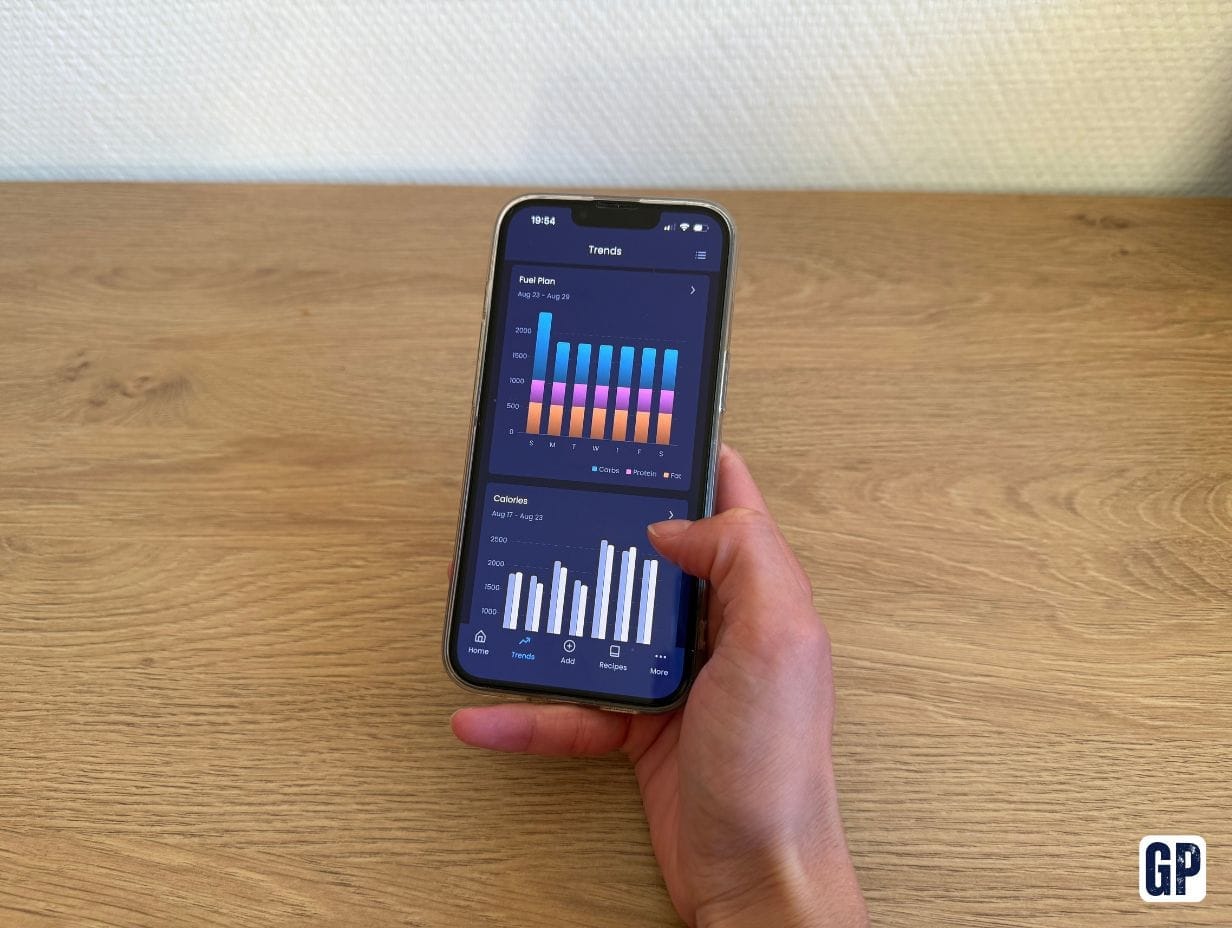
In short, the app automatically calculates your daily energy needs and splits them across macronutrients: carbohydrates, protein and fat. It also adapts its recommendations to planned or completed training.
Strengths:
- Real-time tracking of nutritional needs
- Plan adapts to planned training sessions
- User experience improved with each update
Could be better
- Integrations still limited
- No menstrual cycle integration
Hexis indicates that 95% of its users improved their performance after four weeks of use. But what does that look like after several months of testing?
A clean interface, but setup takes time
The first step is setting up your profile: meal times, sleep schedule, weight, height, etc. I do wish I could vary my sleep times by day: at the weekend, for example, I do not get up at the same time as on weekdays.
You can view your data both on the website and in the app. The overall design is fairly clear. There is a small learning curve, but once you are used to it you can quickly find what you need.
The app is split into two main parts: the Fuel Plan, which covers day-to-day nutrition tracking, and Trends, which let you compare your actual intake with the app’s recommendations for both calories and macronutrients.
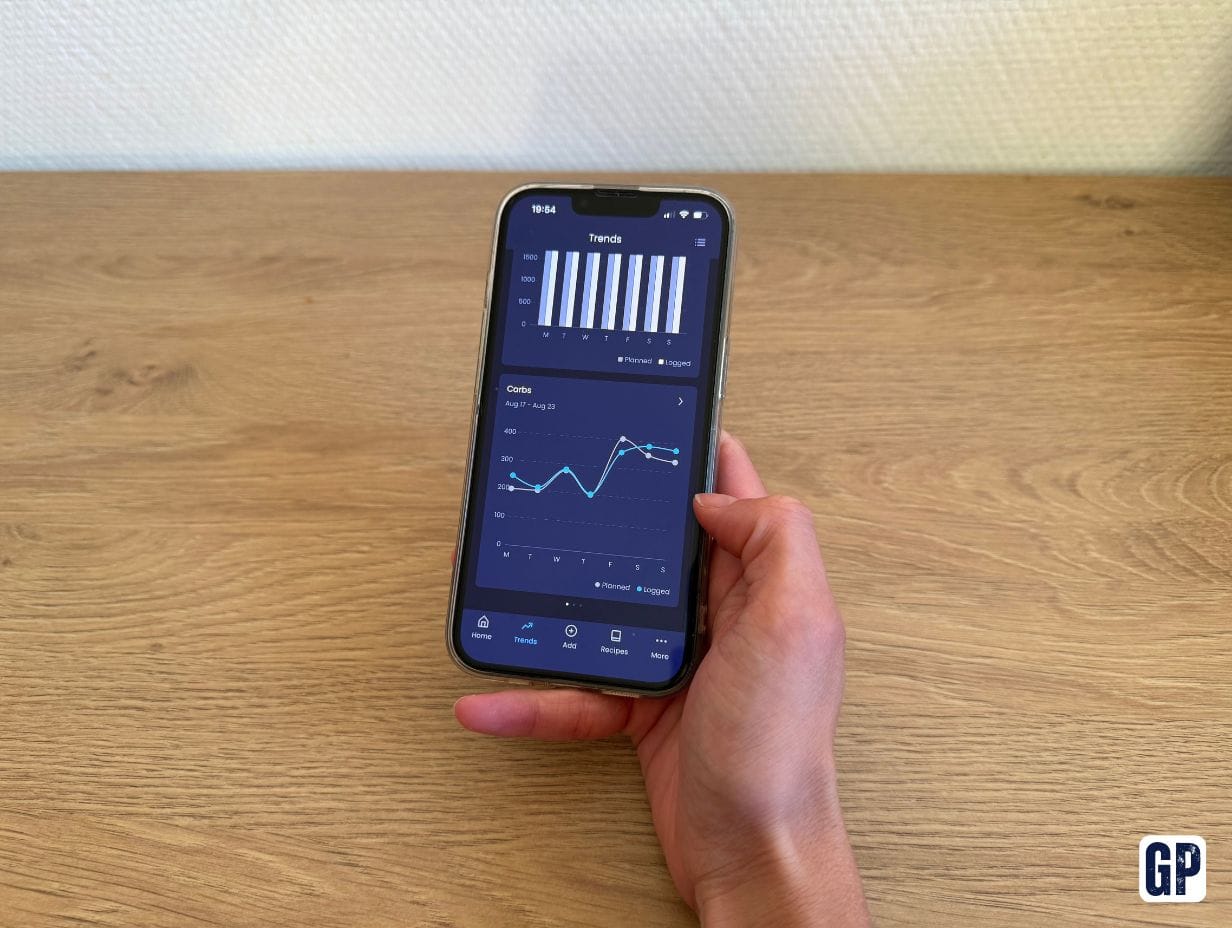
You also get charts tracking your weight if you use a bioimpedance scale, as well as your calorie deficit or surplus. Personally, this was not a part of the app that particularly interested me.
Pricing is subscription-based: €16.99 per month or €109.99 per year.
Usability still has room for improvement
Once setup is done, it is time to get to grips with it. Over the first few days I was quite mixed about the app’s usability. Fortunately, an update released in August 2026 greatly improves several of the aspects I found limiting.
In general, using Hexis means logging all your meals and training sessions so the app can adapt its recommendations.
On the training side: the lack of a Strava connection makes getting started harder
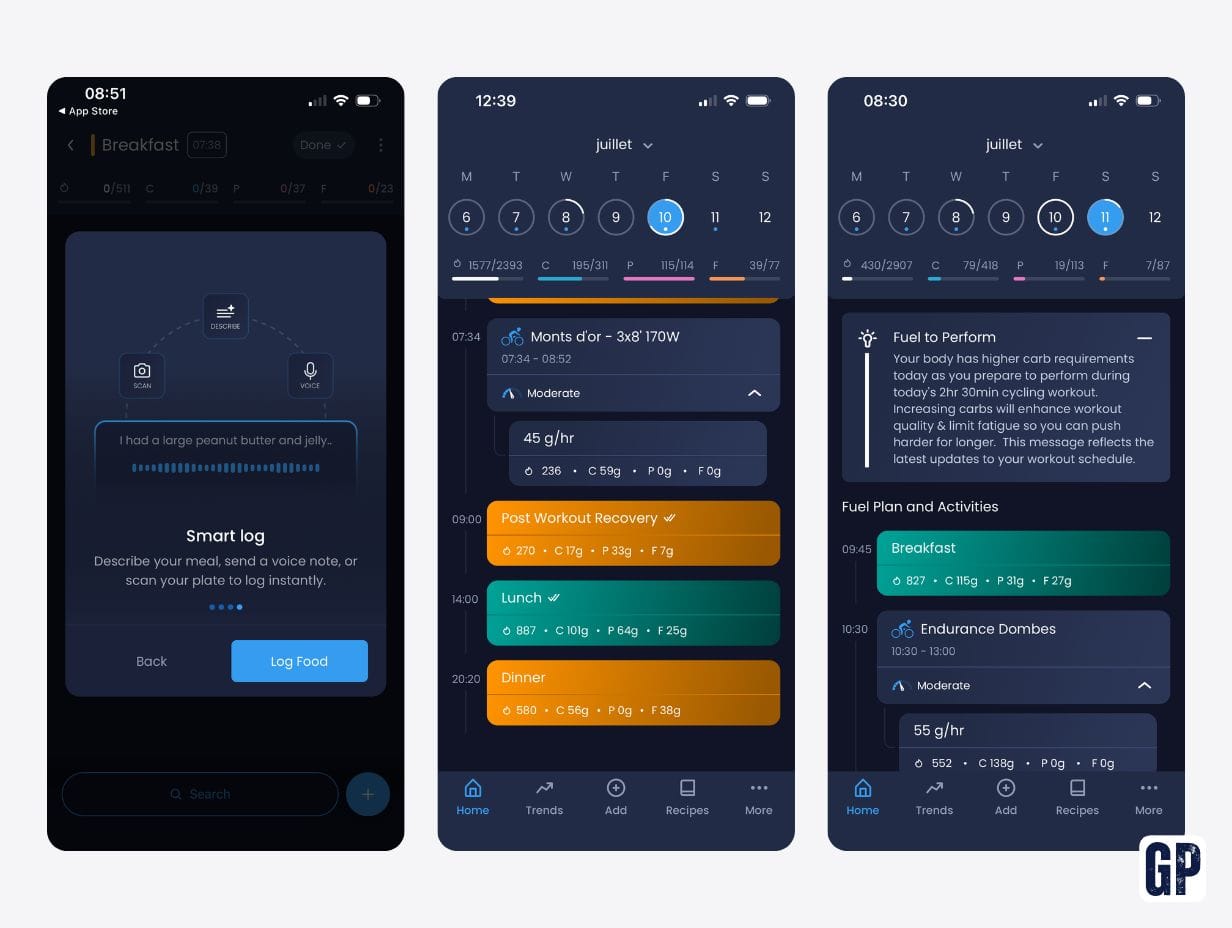
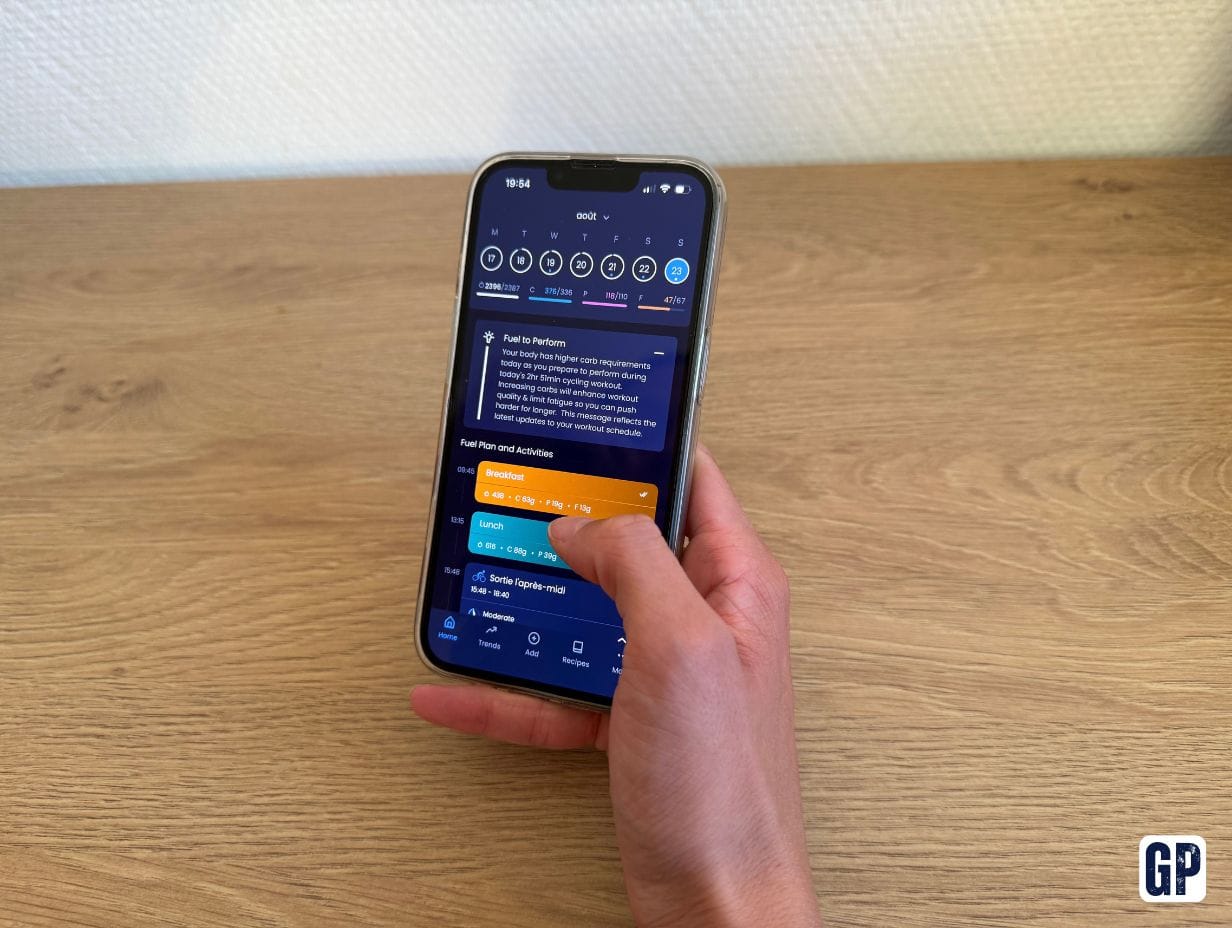
For training, the app can be linked to Garmin Connect and Intervals.icu to import sessions automatically. If you plan your training in advance on Intervals.icu, it appears on the relevant day, with updated nutrition recommendations for your day and session.
However, there is still no direct connectivity with Strava, which remains one of the most widely used apps among cyclists.
I therefore started the test by adding my training sessions manually, but the interface is clearly not designed for that use. Fortunately, there is a workaround: create an Intervals.icu account, connect it to Strava, then to Hexis. Sessions recorded on Strava are then imported into Hexis automatically.
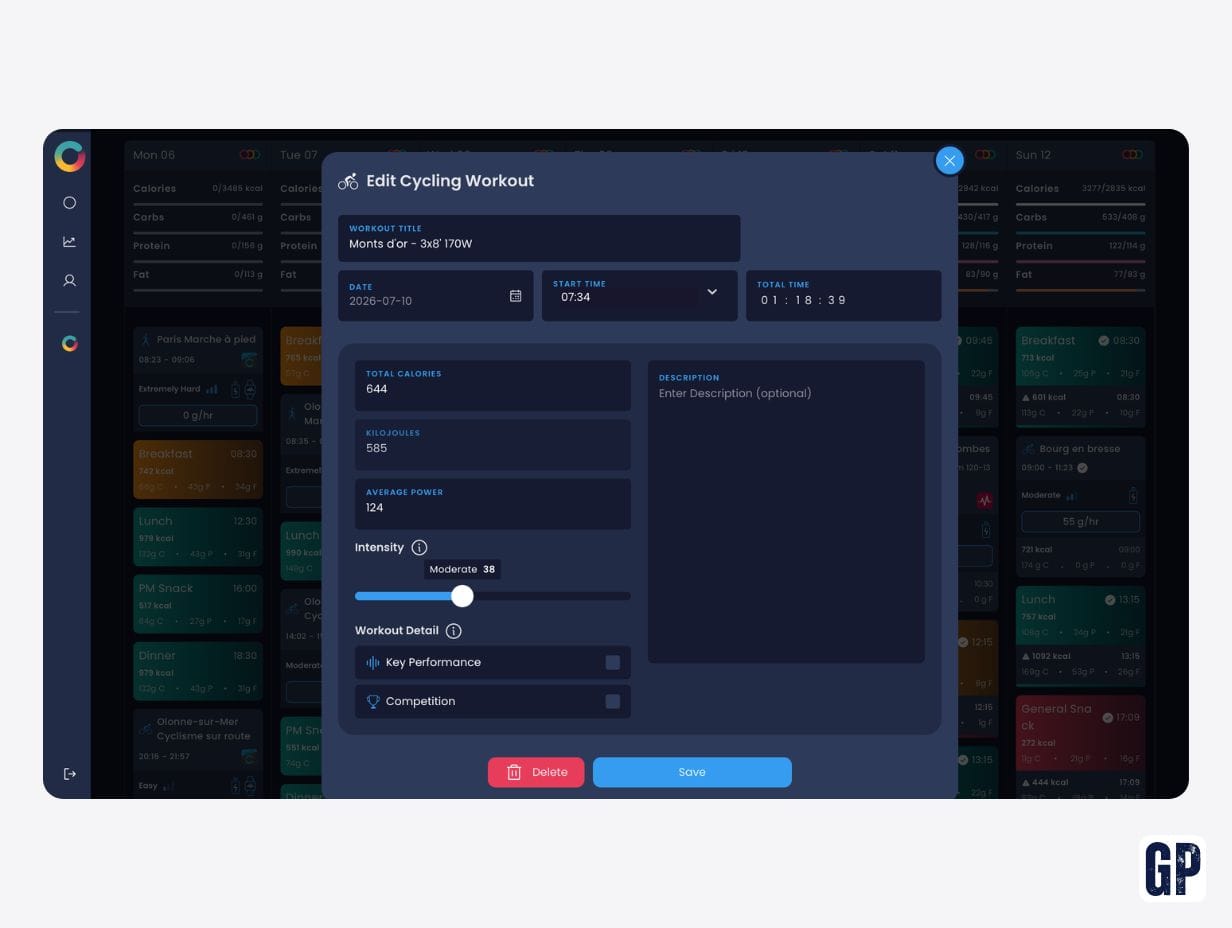
On the nutrition side: a fairly time-consuming first week
Getting to grips with it is a bit slow at first, because you need to build your favourites list to make adding future meals easier by saving the foods you eat most often: pasta, fromage blanc, on-bike nutrition, etc.
Same for quantities: you often have to enter the number of grams consumed. To be precise, everything goes on the scales: slice of bread, spoon of jam, portion of pasta… The first week of use can therefore be quite demanding.
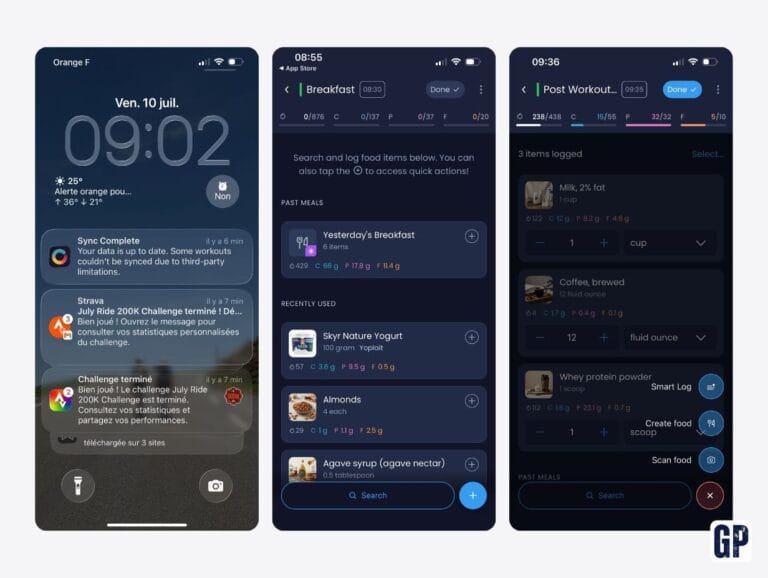
Foods can be added in different ways.
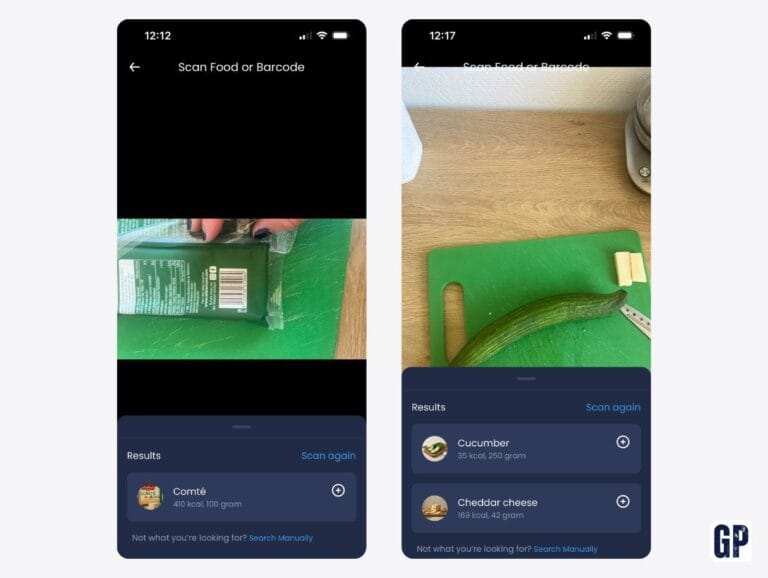
First, you can search directly among the entries already in the database. Personally, I rarely found what I was looking for. The entries are all in English, which can quickly make searching for certain foods more difficult.
The second option is to scan product barcodes. This is the method I ended up using the most: I found most of the products I was looking for, with their nutrition information already saved.
You can also add a food yourself along with its nutrition information. Finally, Hexis offers an option to describe a recipe with its ingredients to get an instant estimate of the nutrition information. If you are preparing, for example, a boeuf bourguignon, this avoids entering every single ingredient one by one.
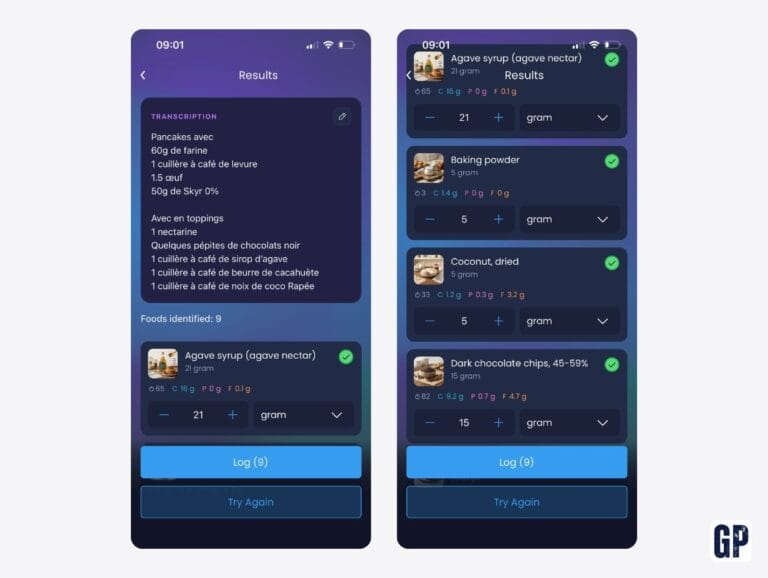
Once this initial phase is over and your regularly eaten foods are added to favourites, using the app becomes much simpler. You can even indicate that you ate the same as the day before: the meal is then copied automatically and quantities can be modified if necessary.
This feature was not available before the August update and clearly changes how easy the app is to use. It also shows good responsiveness from Hexis in fixing its weak points and improving the user experience.
After several weeks: does Hexis really change the game?
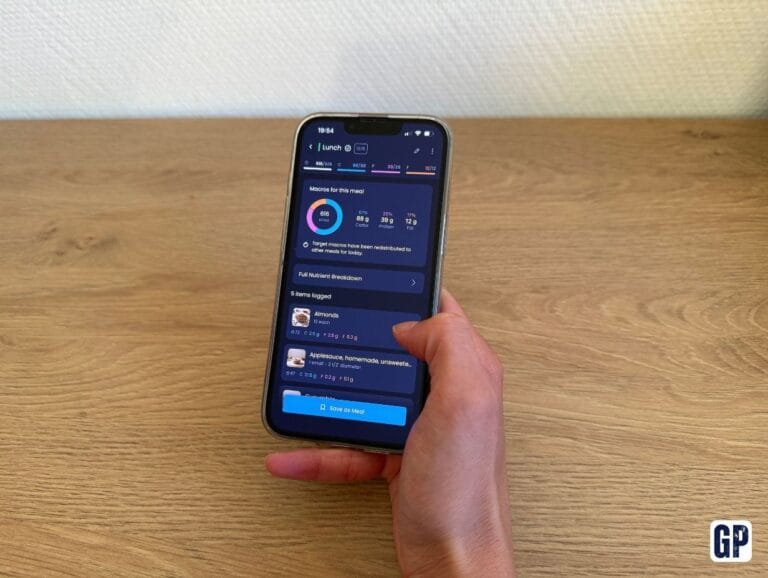
Ultimately, Hexis won me over on substance. The app’s main strength, in my view, is estimating daily macronutrient needs, with a breakdown per meal.
Using Hexis made me aware of several imbalances in my own diet. That is where the app becomes particularly interesting.
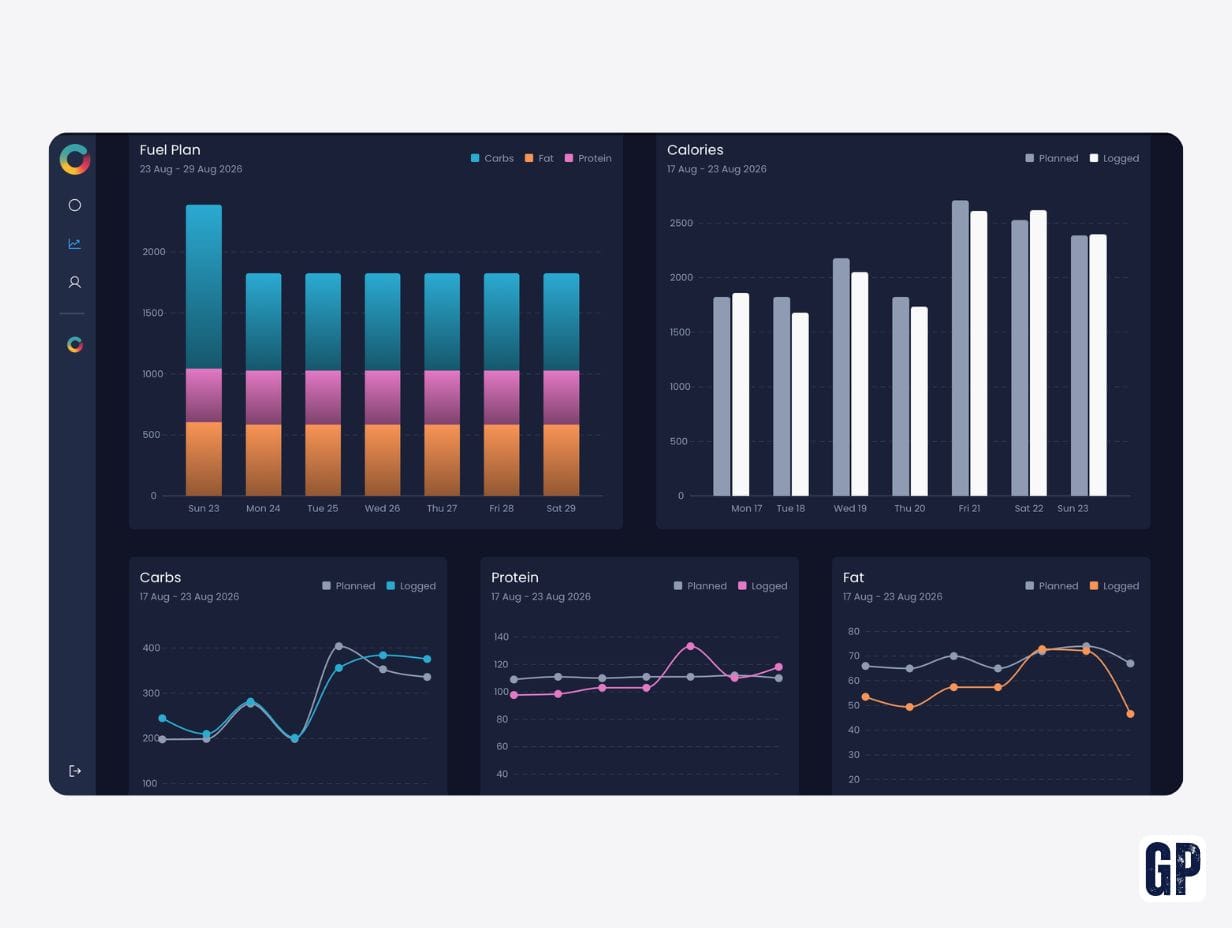
Broadly, my pre-training breakfasts were often not calorific enough, and especially not rich enough in carbohydrates. I also tend not to consume enough fat over the day and, conversely, to have rather high protein intake.
During the day, as you complete a meal, the macronutrient bars progress as you add foods. You can therefore adjust your meal according to your targets. The real benefit is to consult the app before eating, so you can adapt your meal rather than realising afterwards that you are a long way from the target.
This aligns well with the basics of daily nutrition and fuelling for training: the goal is not only to count calories, but to understand what you are actually putting on your plate.
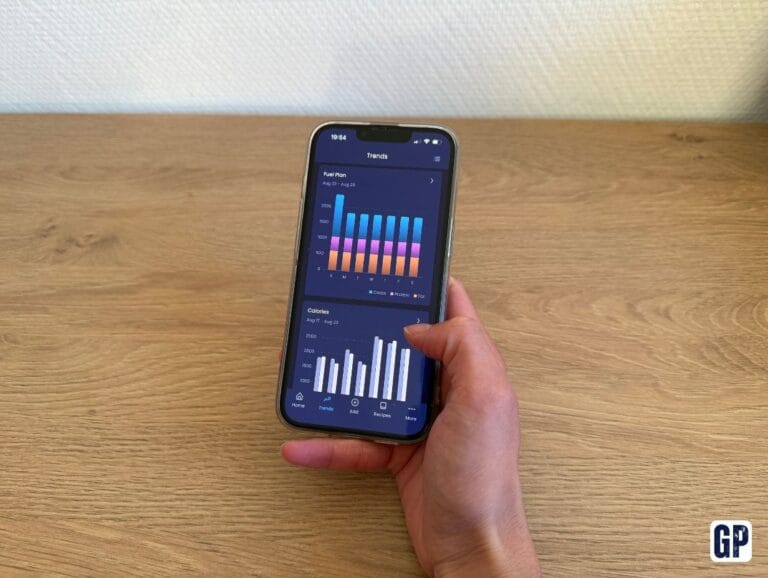
What is missing, in my view, is an automatic recommendation to top up your intake. For example, I several times finished lunch and noticed I was still short of 20 g of fat and 50 g of carbohydrates. I would have appreciated Hexis directly suggesting a few foods to help complete those intakes.
It is not always easy to get close to the targets for all three macronutrients without heavily overshooting one of them.
Another sticking point: when you are not cooking yourself. It becomes difficult to know precisely the quantities and ingredients used. For example, when eating at a restaurant.
Hexis' real value: understanding your needs
In terms of usage, I think it is worth using the app in two phases.
During the first few weeks, I suggest not changing anything in your diet and simply logging everything you eat. After two weeks, you will have a clearer view of what you actually consume compared with the app’s recommendations.
You will also be able to identify where your main gaps come from between your actual intake and what is recommended.
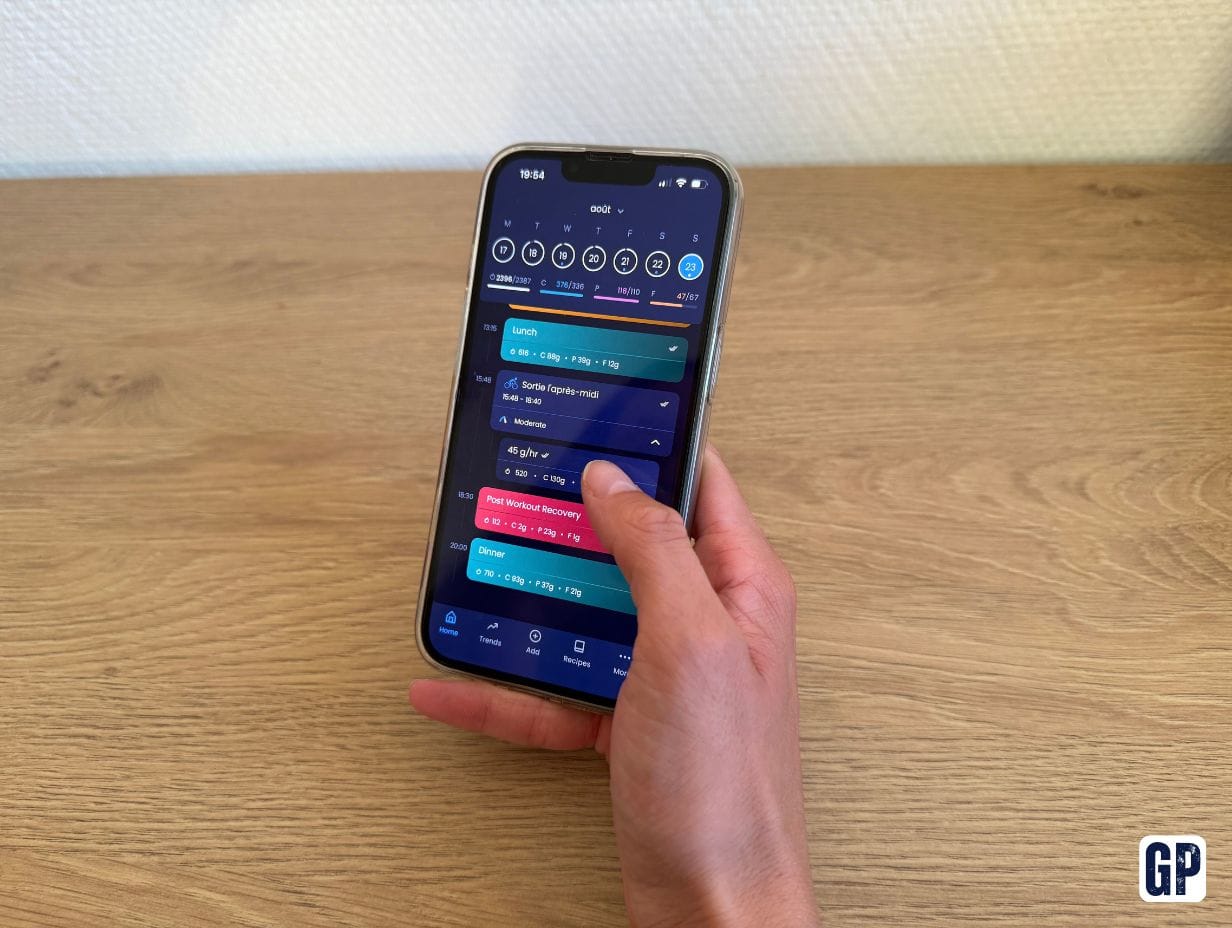
For example, the app allowed me to see that choosing one source of carbohydrates rather than another can significantly change a meal’s macronutrient split. For the same quantity, pasta provides more protein than rice, which can impact the overall balance of the meal when you are trying to get close to specific targets for carbohydrates, protein and fat.
This is precisely one of Hexis’ strengths: making these differences concrete and enabling you to adjust your meals to your needs, rather than reasoning only in terms of calories.
Obviously, these figures remain recommendations and should not become an obsession. The aim is above all to better understand your needs and develop good habits, not to slide into excessive control of your diet.
The feature I also missed is a weekly summary. I would have liked to find, in one place, my training volume and my actual nutrition intake compared with the recommendations.
Once this observation phase is over, you can progressively adapt your diet to Hexis’ recommendations. I did not actually change the foods I eat that much. However, I changed the quantities and especially the distribution of my intake across the day.
Another aspect I would have liked to see in the app is the ability to integrate the menstrual cycle and adapt the recommendations accordingly. Nutrition needs fluctuate with the cycle and have a significant impact on performance. We have also devoted an article to women cyclists’ nutrition across the menstrual cycle.
In the end, the app gave me a much clearer view of my energy needs and helped me develop certain habits: adapting my breakfast to the planned training, adjusting my dinner according to what I have eaten during the day and the macronutrients I still need to consume, etc.
It is, however, difficult to measure a real performance gain without doing specific tests. Over the whole test period, I never felt any lack of energy linked to my diet.
Do the recommendations align with the reference literature?
I also compared the app’s recommendations with a book by Stacy Sims that I particularly like, which focuses primarily on sports nutrition for women.
On rides of more than two hours, Hexis’ carbohydrate recommendations were broadly consistent with those of Stacy Sims. However, on rest days or days dedicated only to strength training, Hexis recommended 32 to 41% more carbohydrates than the book’s recommendations.
For protein and fat, I did not observe any significant differences between the two approaches.
This comparison mainly shows that there is no single way to determine your nutrition needs. Even if Hexis provides precise, personalised tracking, it is still important to take into account how you feel, your activity level and your goals, then adapt your diet accordingly.
Who is Hexis for?
Hexis is aimed first and foremost at cyclists who want to better understand their diet and adapt their intake to their training load. The app is particularly interesting for regular riders who want to go beyond general recommendations and benefit from personalised tracking, provided they are willing to log their meals daily.
It will be less suitable for cyclists looking for a fully automated solution or who do not want to devote time to tracking their diet.

Hexis is therefore not a magic app. It is more of a demanding tool, sometimes a little fiddly, but capable of making an often blurry question very concrete: am I really eating in line with what I am asking of my body?